
The hour in the middle, done differently.
Four things happen when a lot lands on your counter: it gets entered, it gets priced, it gets sent, and it gets settled. Here is exactly what CounterMint does at each step: where your switches are, and how the quote reaches a customer who won’t give you an email address.
Photo-assisted intake, one line per item
Photograph a full tray of slabs, a mixed lot or a single note. Each piece is found and cropped, and its readable label goes straight into its own line: series, year, mint mark, denomination, grade, grading service, cert number, metal and weight.
You review every line in seconds instead of typing it. Correct anything it misread before relying on melt, premium or suggested offer arithmetic.
It reads what’s printed. It doesn’t grade or authenticate, and ambiguous or missing detail is yours to judge. Nothing is priced or issued until you have checked the line.
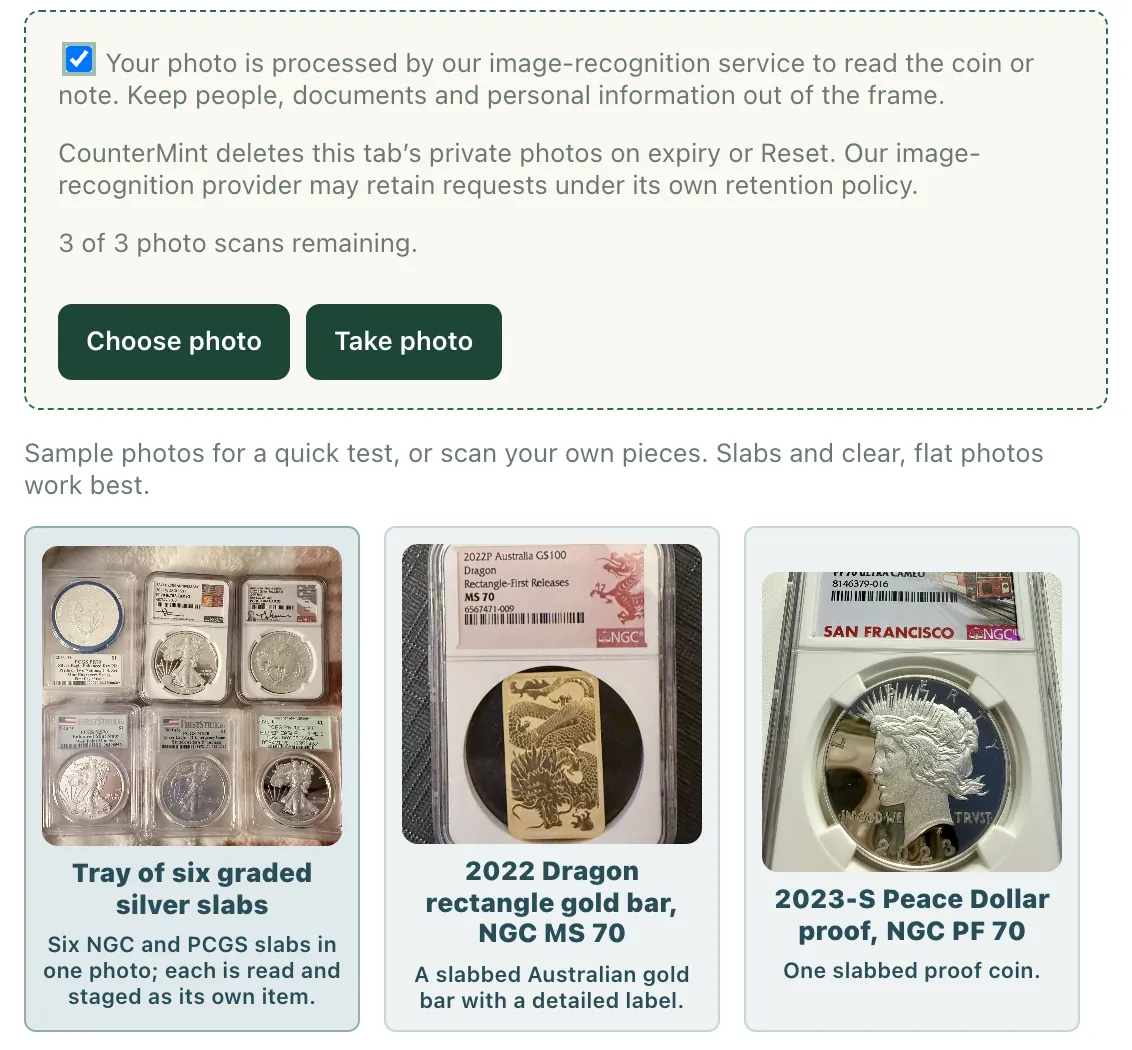
1 of 3 Take a photo, or choose one. A full tray of slabs is fine.
Demo details
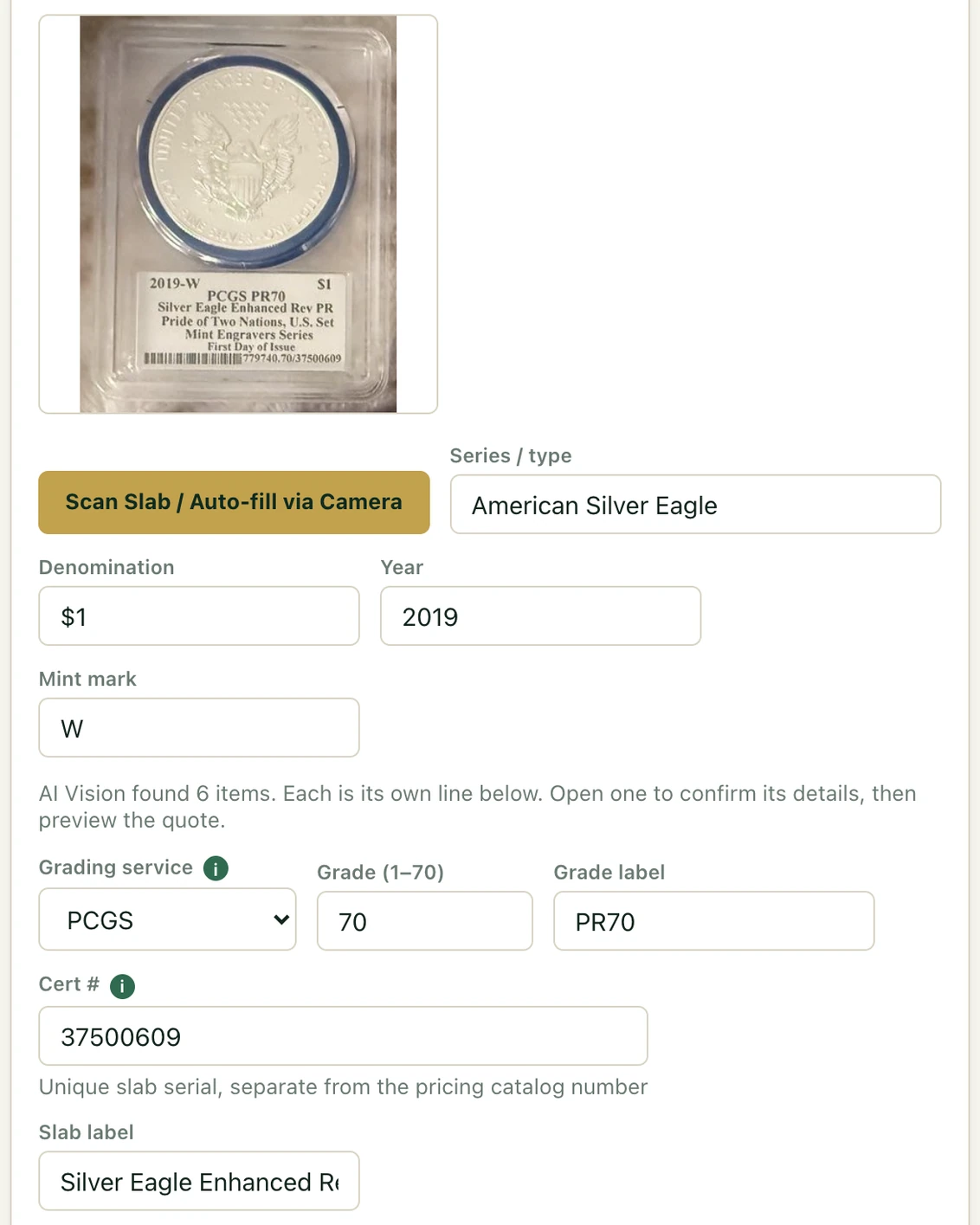
2 of 3 Each label read into its own fields, ready for you to check.
Demo details
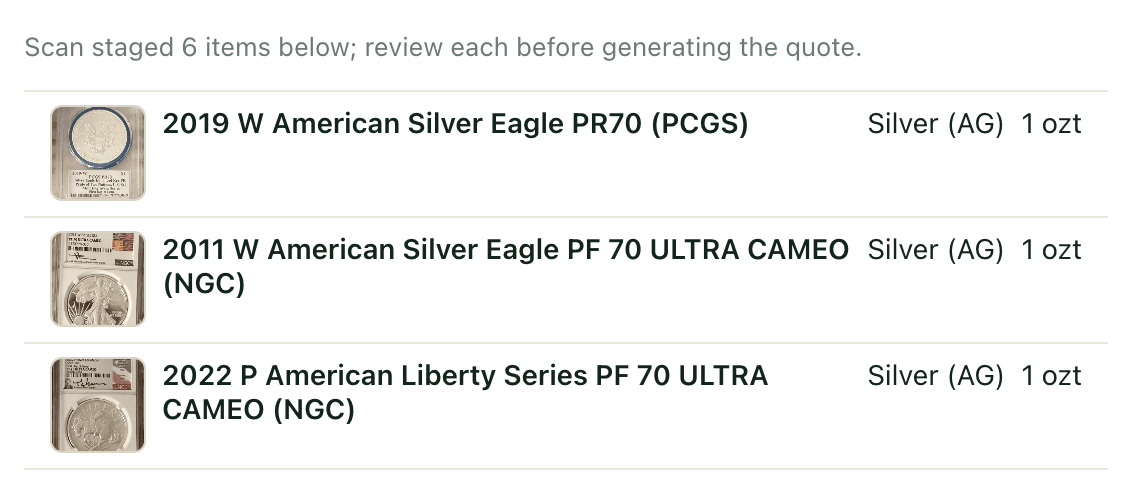
3 of 3 One photo, six lines. Each slab cropped and its label read.
Demo details
Spot that refreshes, and charts itself
Gold, silver, platinum and palladium are the four supported quoteable metals. Spot from a market data provider, refreshed every minute and time-stamped on every quote.
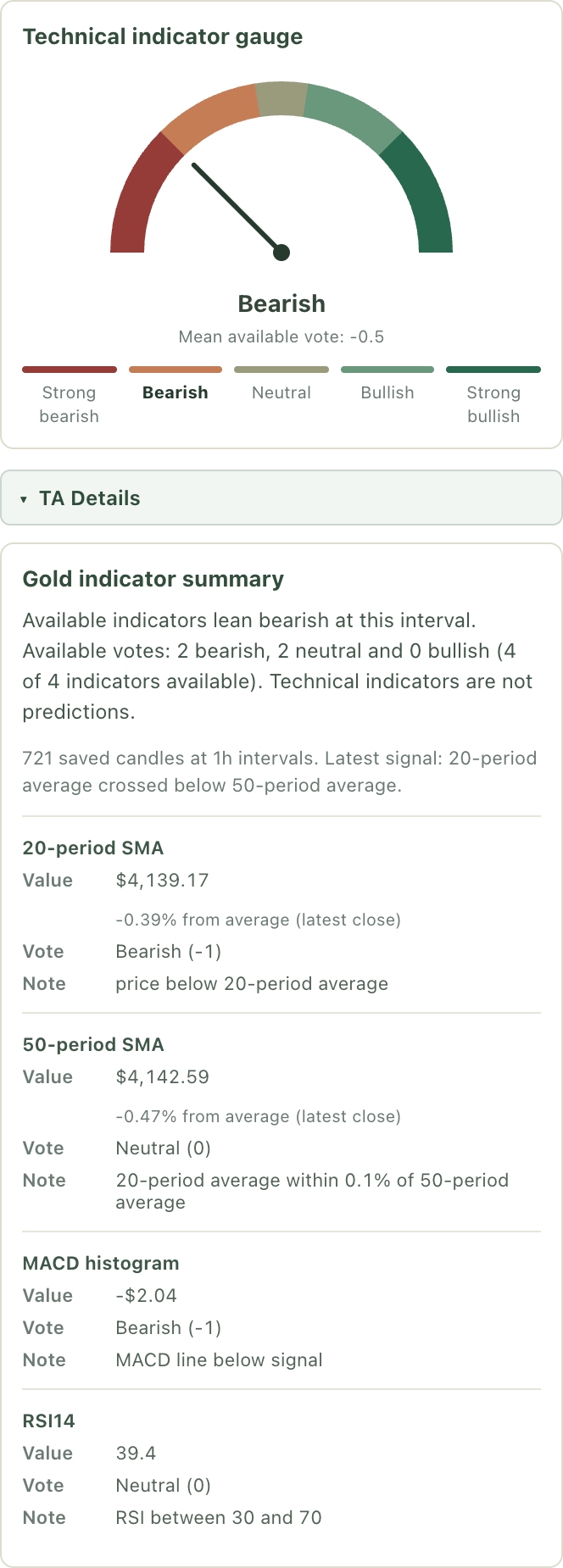
Metals Insights charts each metal over the window you pick, with moving averages, RSI and MACD and a bullish, neutral or bearish gauge, so you can read the trend before you price. An optional daily quote note carries its date. These indicators describe history and never change your offer.
Every chart reads in your shop’s timezone, with its freshness on the page.
Check freshness before you issue or review a price.
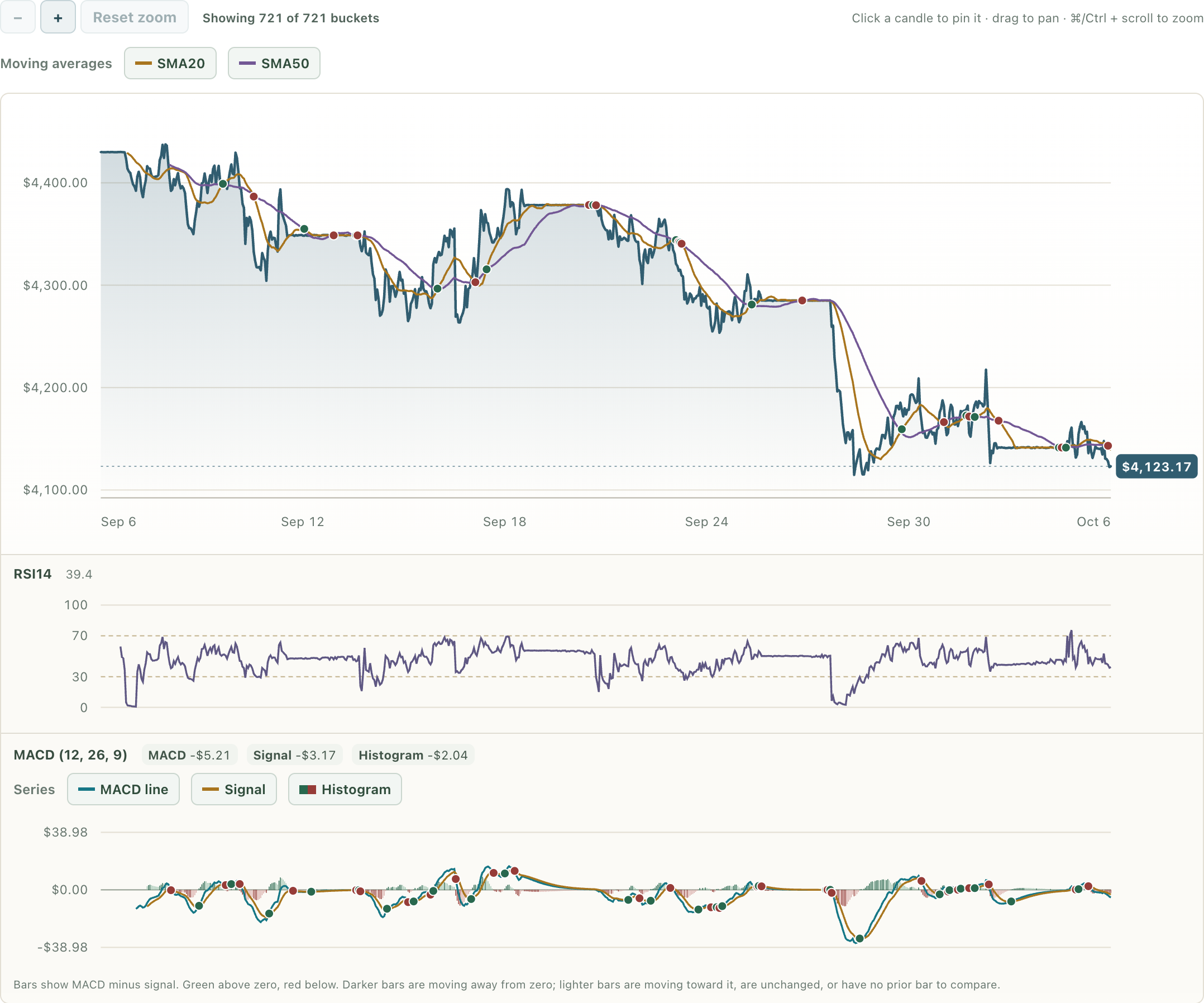
Gold price history · 30 days · 1-hour intervals.
Demo details
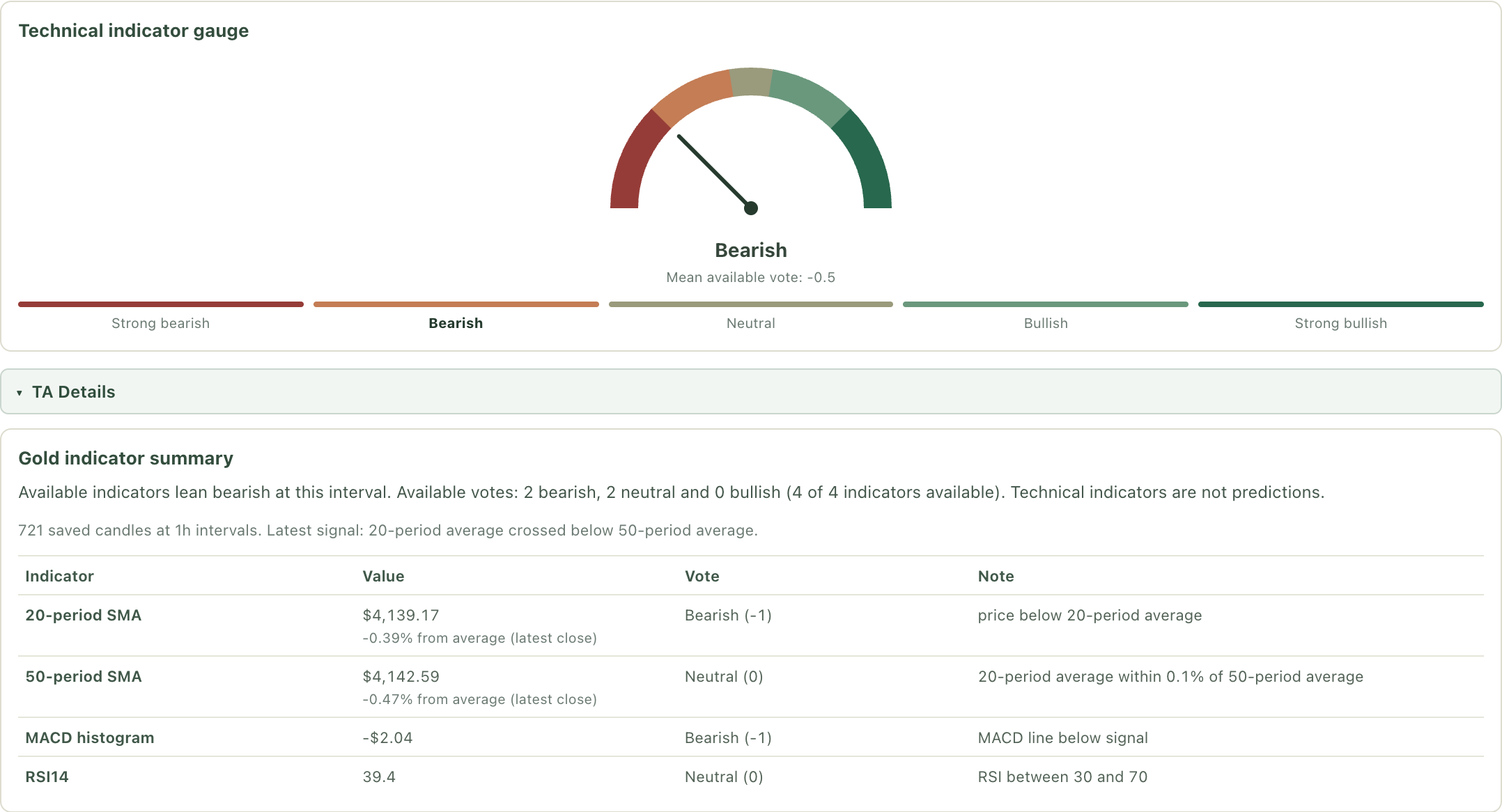
Technical gauge and indicator summary.
Demo details
The premium, actually calculated
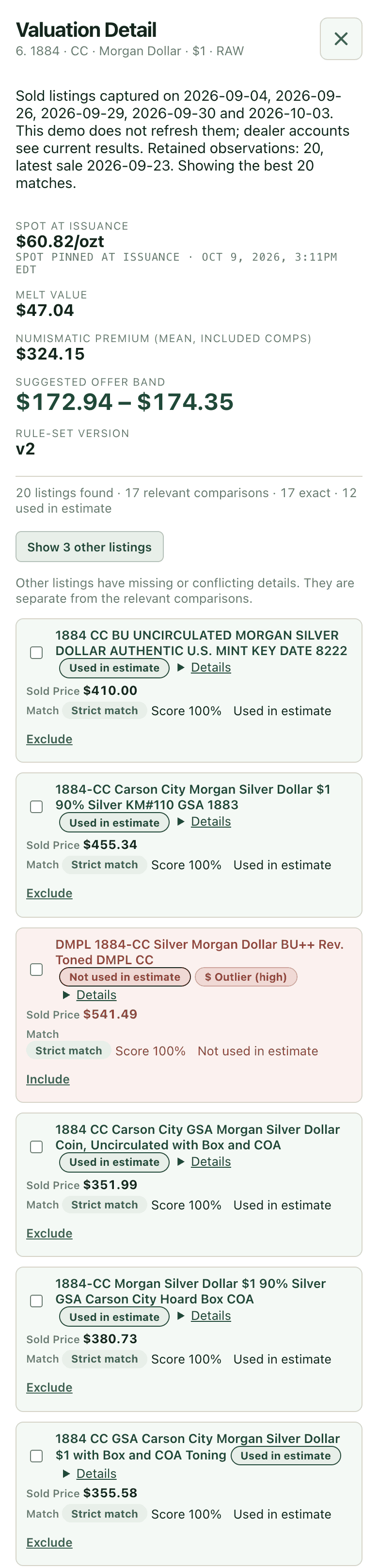
CounterMint pulls recent sold comps and, for metal-bearing items, prices each sale against spot on the day it sold, so the metal comes out and the real numismatic premium is left. Outliers are fenced automatically, and you choose which sales count.
Your buy rules and premium share turn that into your offer band. Check the series, grade and match details, and if you use a price guide, your own reference can weigh in too.
Explain the reviewed evidence and your chosen offer. A direct-sale comparison models the online costs and risks your customer would take on by selling privately.
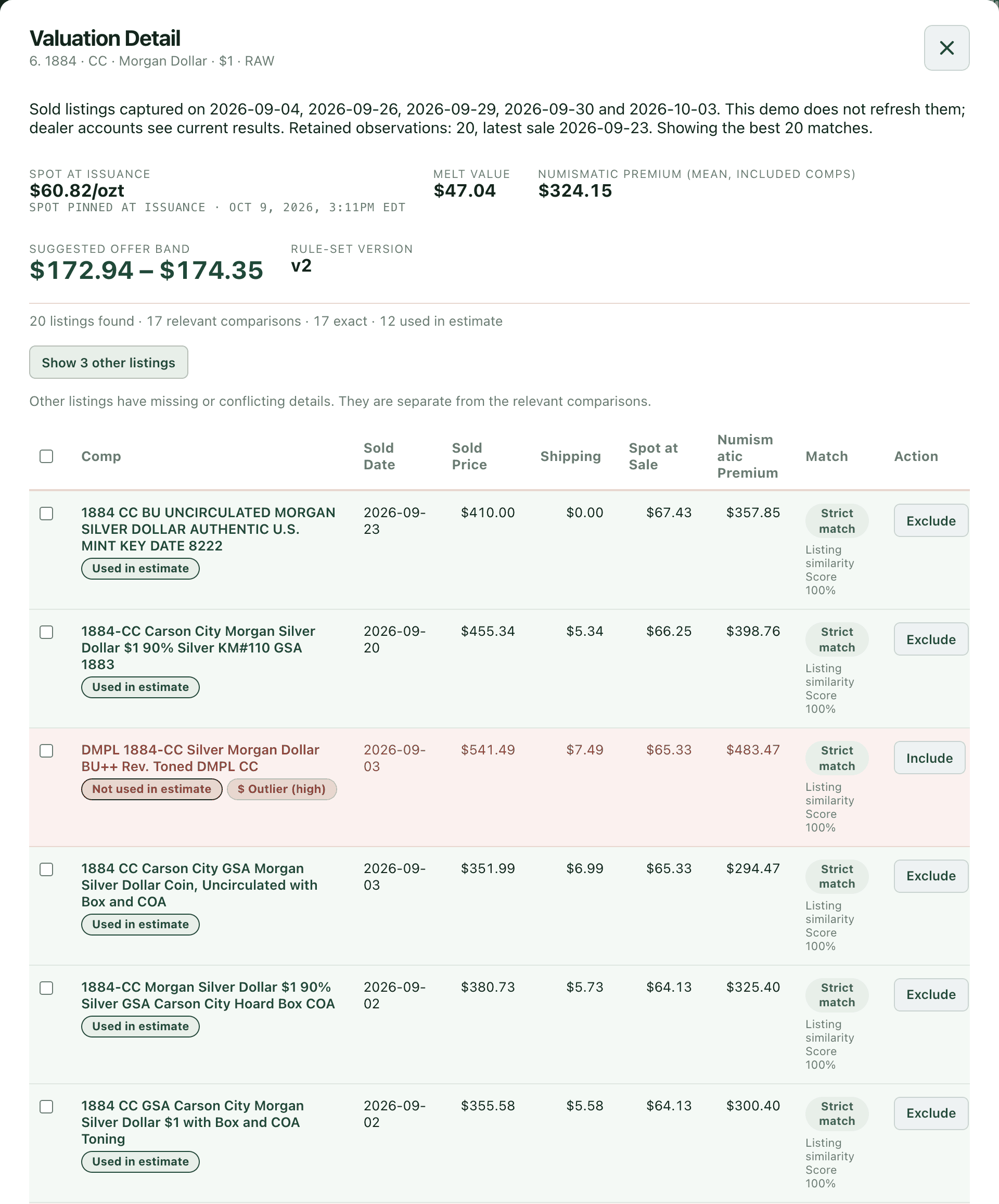
The engine’s call comes first on every sale: strong matches count, outliers are set aside, and you can change any of them.
Demo details
The reality check that closes the sale
Customer quotes can show what selling online would really cost them. The “nets you about $X more” line appears only when your offer clearly beats it. Harold Thornbury accepted $68 for his 2022-P American Liberty medal in this recorded Demo scenario, a fictional customer, on October 6, 2026. The comparison was saved at acceptance.
The customer sees the short explanation. The fee, shipping and net arithmetic stays on your side, in Show math.
Four ways to price a line, your choice
Pick how each line gets its number. Whichever you choose, you review it before it goes out.
Comps only
Leans on the reviewed sold comps. If there is no comp band and you have a price guide value, it falls back to the guide.
Guide only
Leans on your price guide’s matched-grade value, after your wholesale percentage. If it has none for the item, it falls back to the sold comps.
Blend
Weighs the price guide against the sold comps by the split you choose. If only one exists, it uses that one.
Manual wholesale entries record a matched grade, source label and publication date. Review staleness and recheck when the line’s identity or grade changes. Own-key lookups require authorized access and supported catalog identifiers, such as PCGS catalog numbers where available; CAC and grade-ladder responses depend on source coverage and the supplied match.
The connected key is stored encrypted until disconnected or replaced. Bounded cached lookup values have separate retention; a cache expiry does not disconnect or expire your credential.
Price guide API subscriptions are sold directly by CDN Publishing. Confirm that your subscription permits access by third-party tools on your behalf before entering your key. CounterMint asks you to attest to this when you connect it and is not affiliated with or endorsed by CDN Publishing.
A quote that reprices itself
Turn repricing on and an open quote follows the market. Small moves stay off the offer, rises stop at a cap you set, and the result rounds the way you like. Anything that needs your review waits for you, and agreed lines stop moving.
The customer sees the applicable offer and deadlines. A reopened quote shows its current status and deadlines.
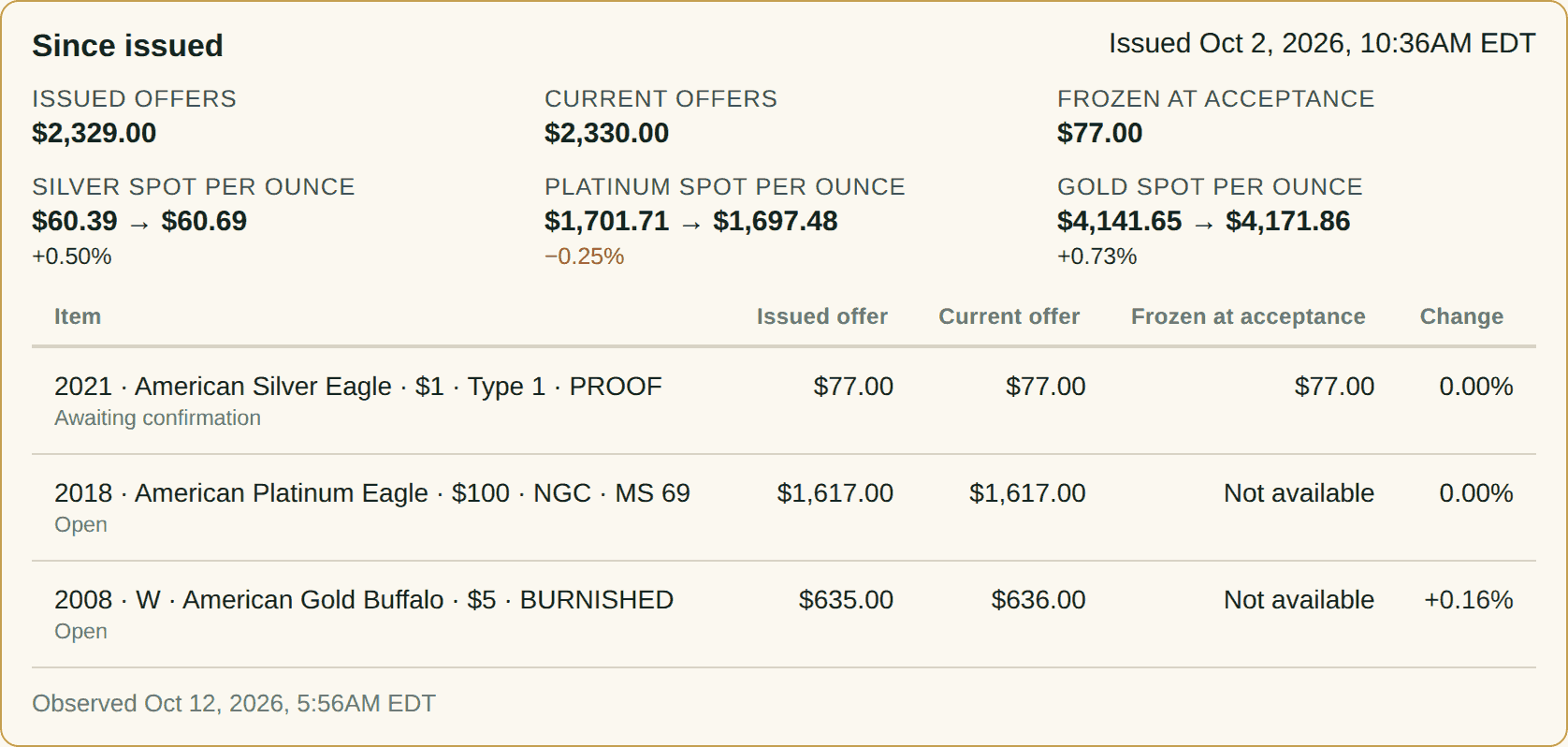
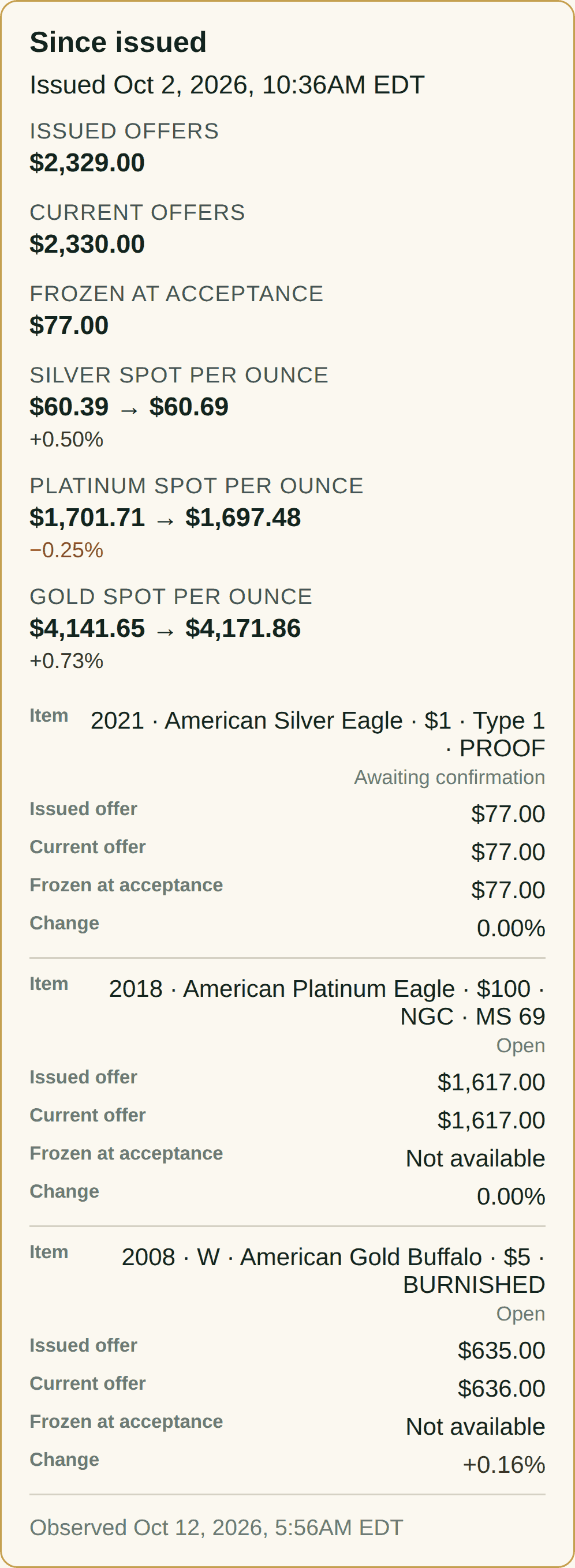
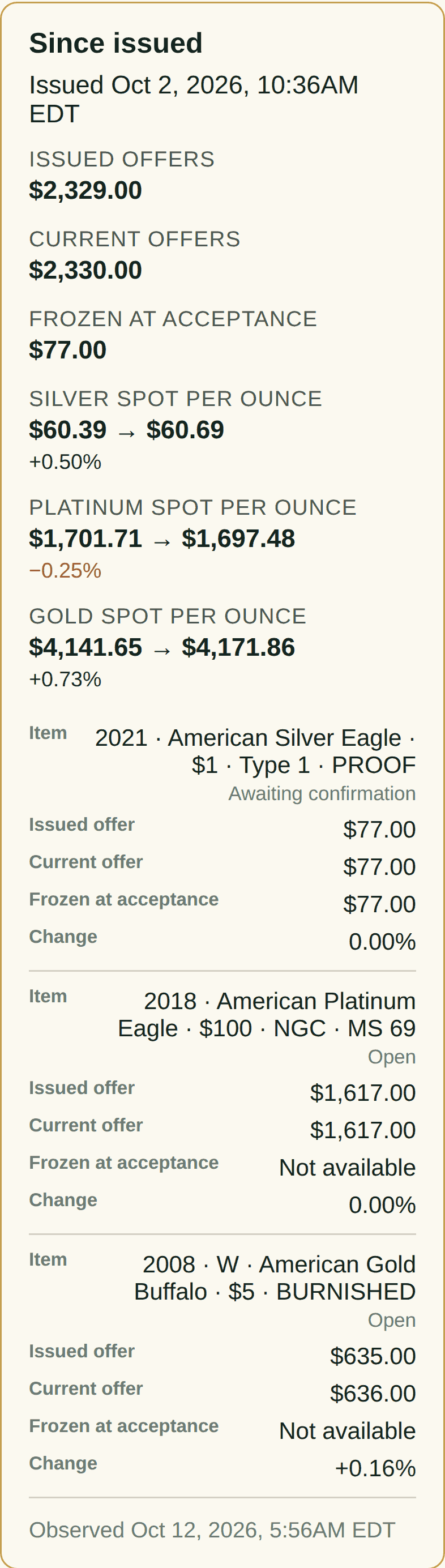
Live Demo · October 12, 2026 · a demo quote
Dealer view
Customer view
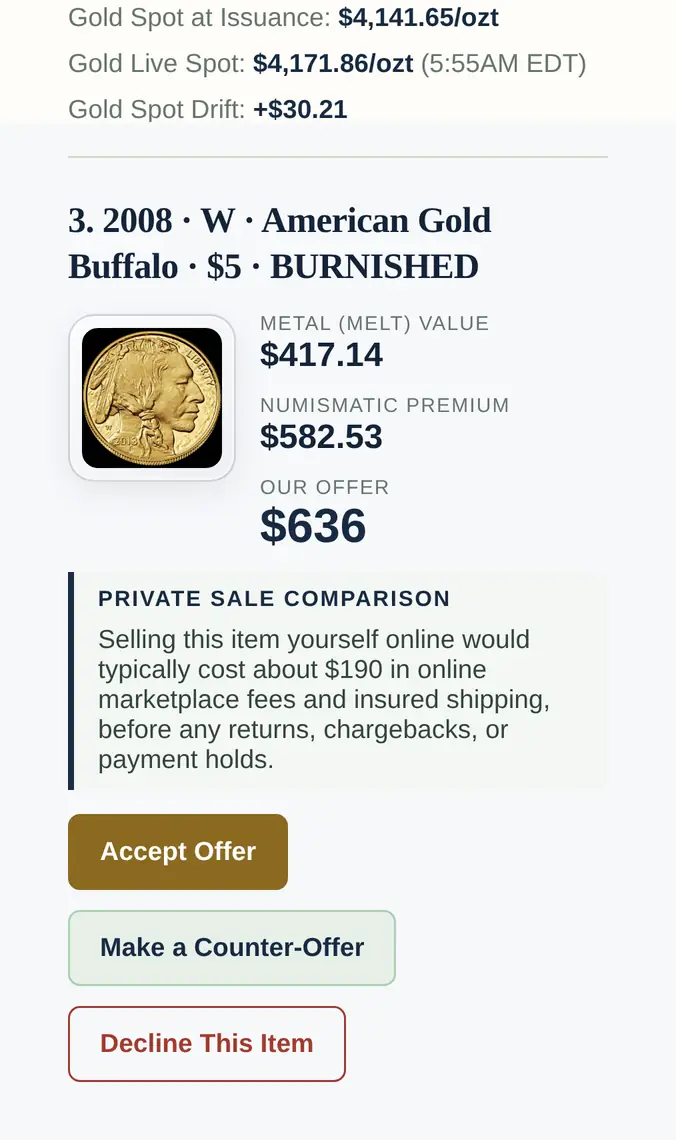
Demo views and pricing policy
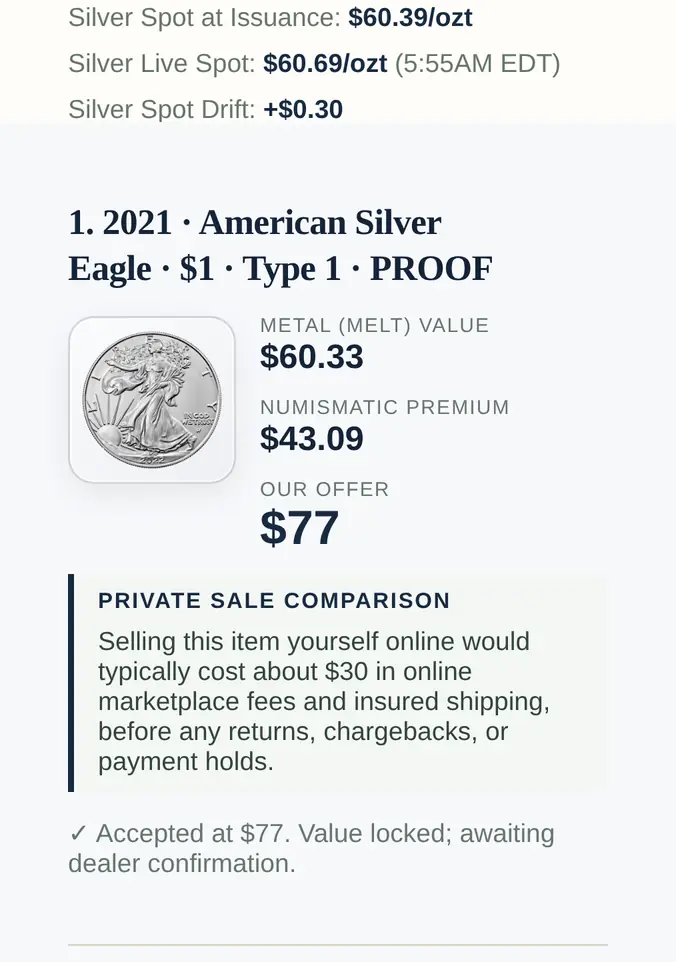
These are views of Florence Hadley’s fictional Demo quote, issued Oct 2, 2026, captured from the live public demo on October 12, 2026 with the demo’s real clock. Gold is +0.73%, silver +0.50% and platinum −0.25% since issue. The Silver Eagle was accepted at $77.00; the Platinum Eagle and the Gold Buffalo were open. The dealer comparison and the customer’s copy come from the same minute.
The demo’s default repricing settings apply; nothing was changed for this example. The small-move filter, the upward cap and whole-dollar rounding with a 60-cent threshold are all on.
Each customer image joins two excerpts from the customer’s copy: the metal’s row of the spot panel and that metal’s line. They show the same offers as the dealer comparison. The metal value shows melt at live spot; the premium keeps the quote’s original context. Agreed items stop repricing, and review rules still apply.
The interactive Demo’s current state and settings may differ from these views.
Nothing gets approved that you didn’t approve
You set the rules, and CounterMint only does what you have allowed. Customers accept, counter or decline from their phone. Counter-offers are optional, and you choose how many each customer can make per item.
Let counters sort themselves out: auto-accept the ones close to your number, auto-decline the lowballs, and everything in between comes to you. Or review every counter yourself.
Auto-accepting original offers is off until you turn it on. Set a tolerance, and an offer accepted inside it is confirmed at your quoted price. If the price moved further, you choose whether it comes to you or is accepted at the current price. Agreed items get a visit window, so the customer knows when to come in.
You decide what’s on autopilot and what wakes somebody up.
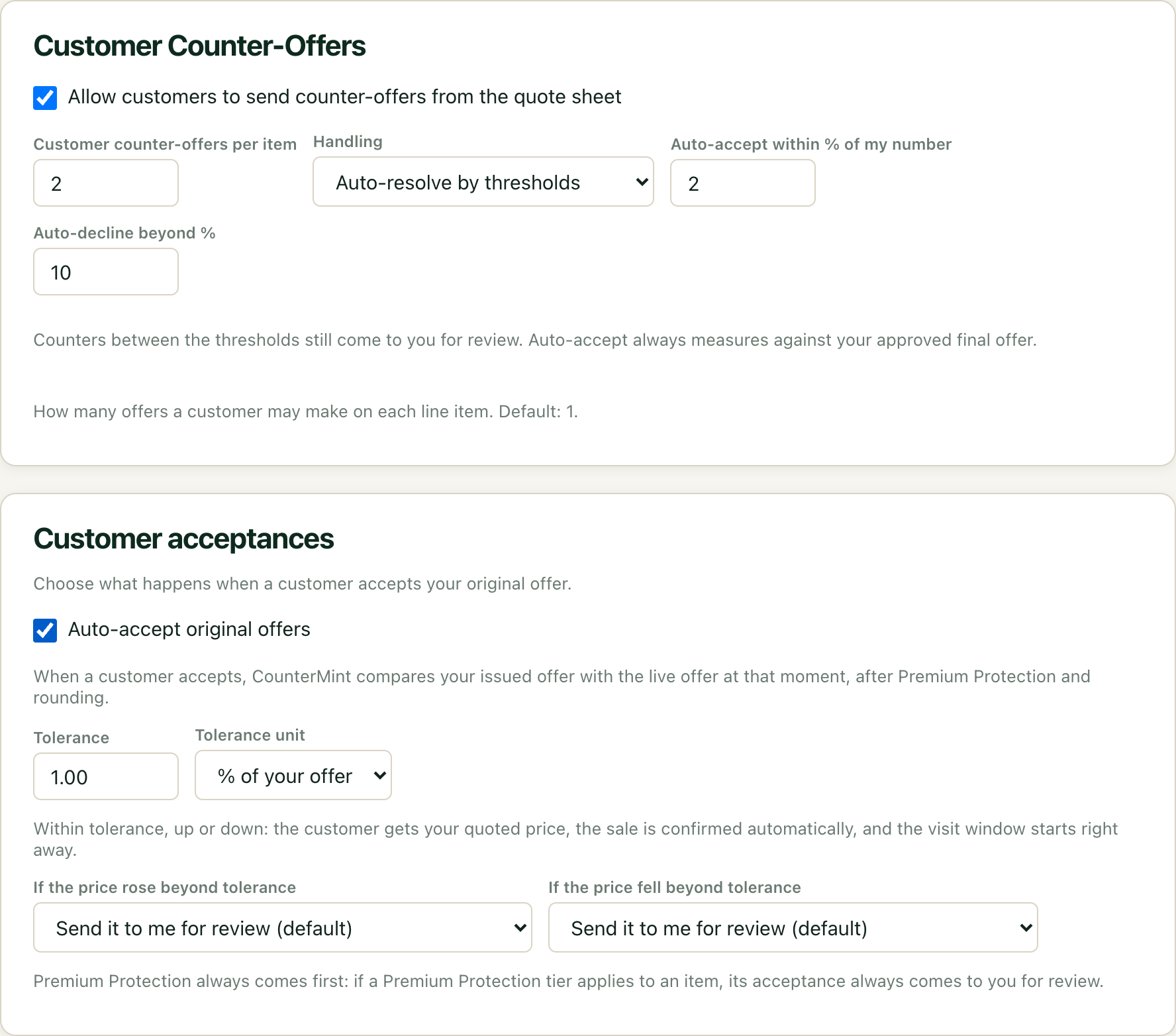
1 of 3 You set the rules: how many counters, what sorts itself out, what comes to you.
Demo details
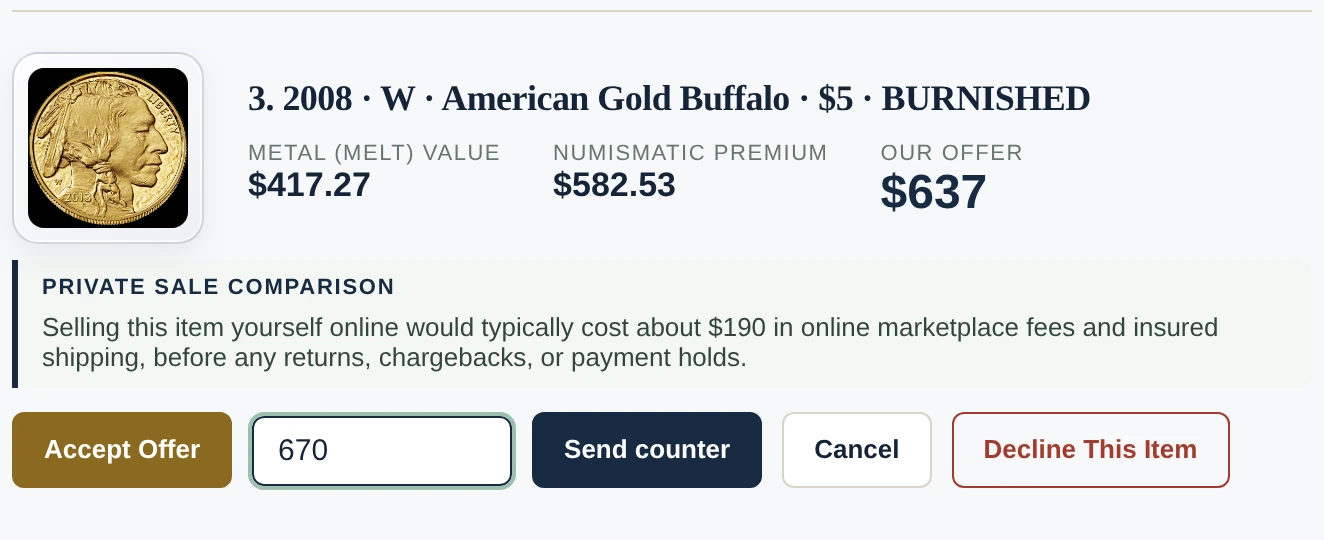
2 of 3 Your customer counters from their phone, one item at a time.
Demo details
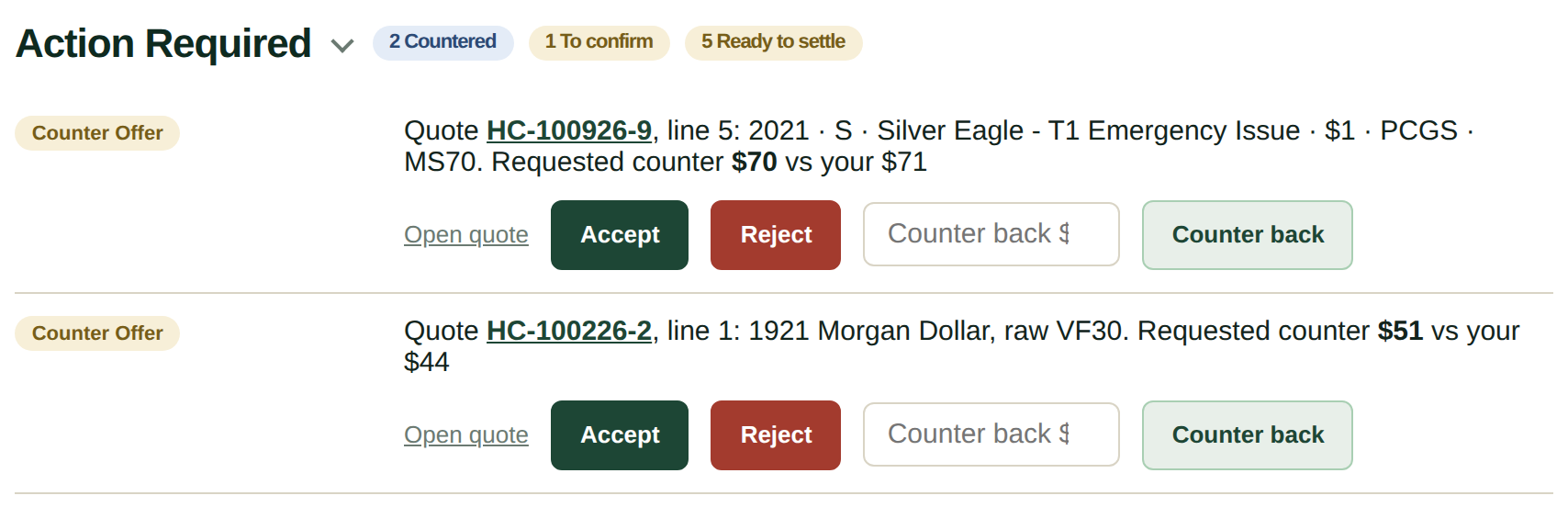
3 of 3 You decide in one tap: Accept, Reject or Counter back.
Demo details
Two clocks, both yours
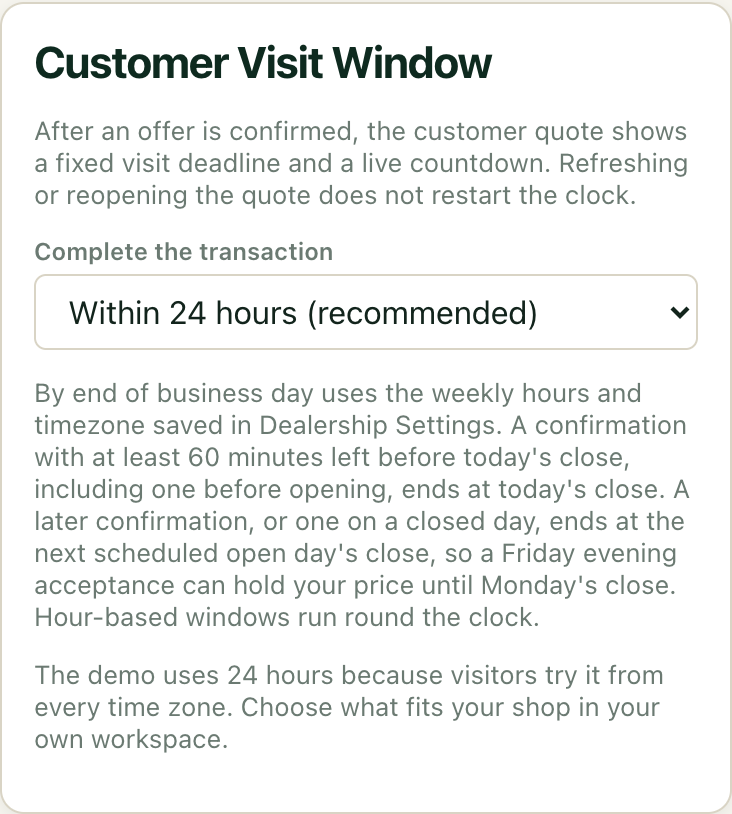
Set how long the quote itself stays valid. Then set separately how long a locked line is honored once both sides agree: a fixed number of hours, or end of business day in your timezone.
That deadline stamps onto the line at the moment of agreement, and reopening the link never restarts it. The customer sees exactly how long they have, in plain language, without anyone having to explain the policy twice.
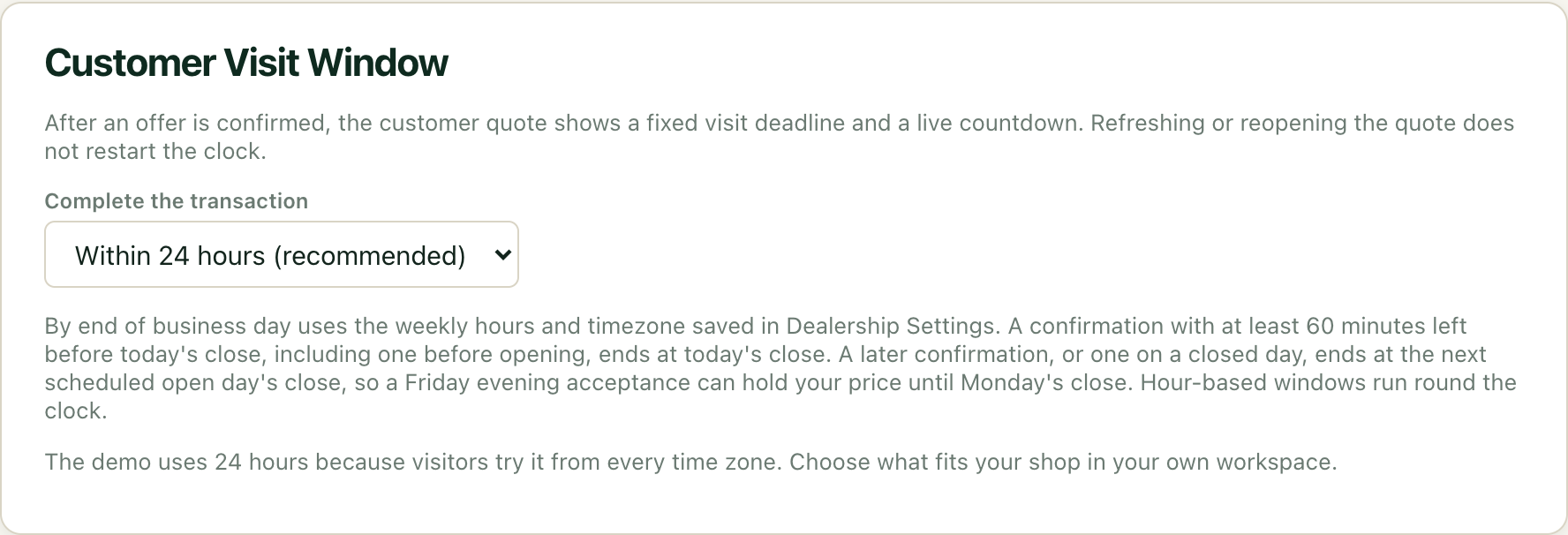
Set a visit deadline separately from quote validity.
Demo details
Settle at the counter
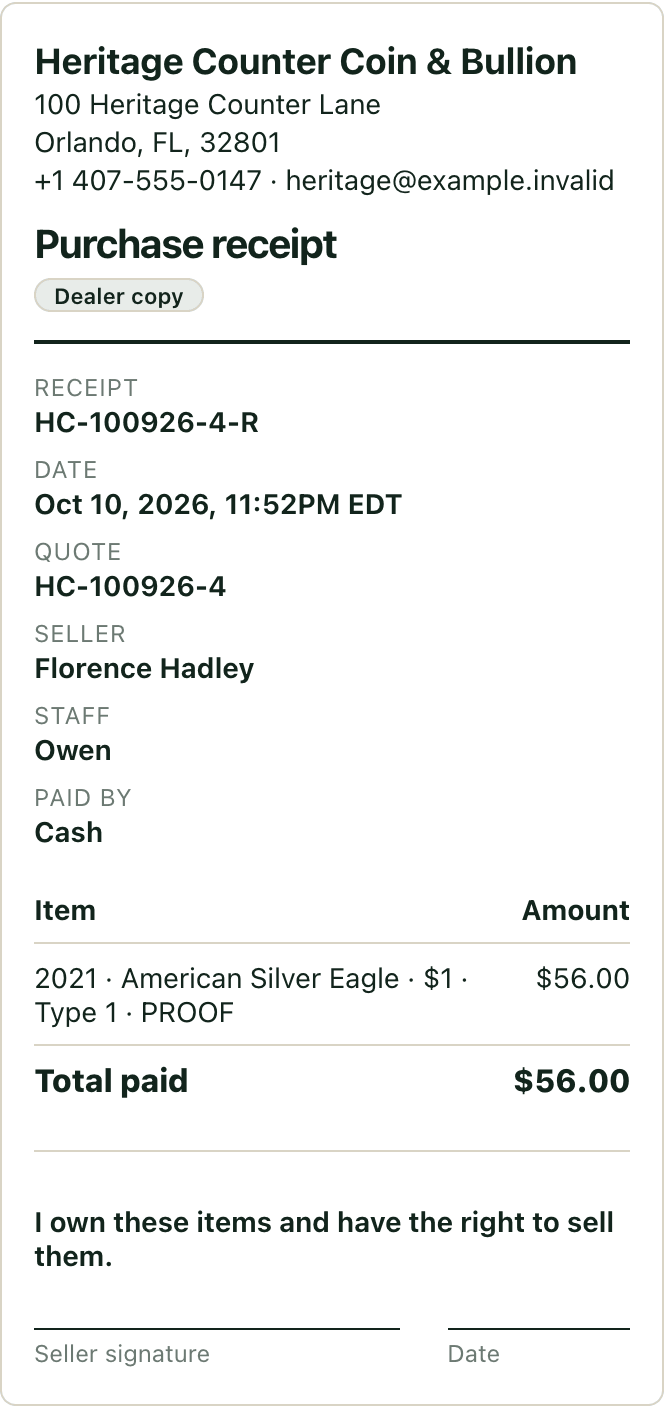
When the customer comes in, mark each agreed item exchanged, or settle the whole quote at once. Record how it was paid (cash, check, bank transfer or other) and the final amount. If inspection changes a number, enter the new amount with a reason, and the receipt shows what it changed from.
Then hand the customer a purchase receipt. Print it at the counter, or send an email or text link from your own phone or computer. Add the optional seller statement, “I own these items and have the right to sell them,” and the receipt carries it with a signature line.
CounterMint records the settlement; it never moves money. Payment happens at your counter the way it always has. Seller ID details you note stay on your copy, and an agreed item that passes its visit deadline without settling shows as a no-show.
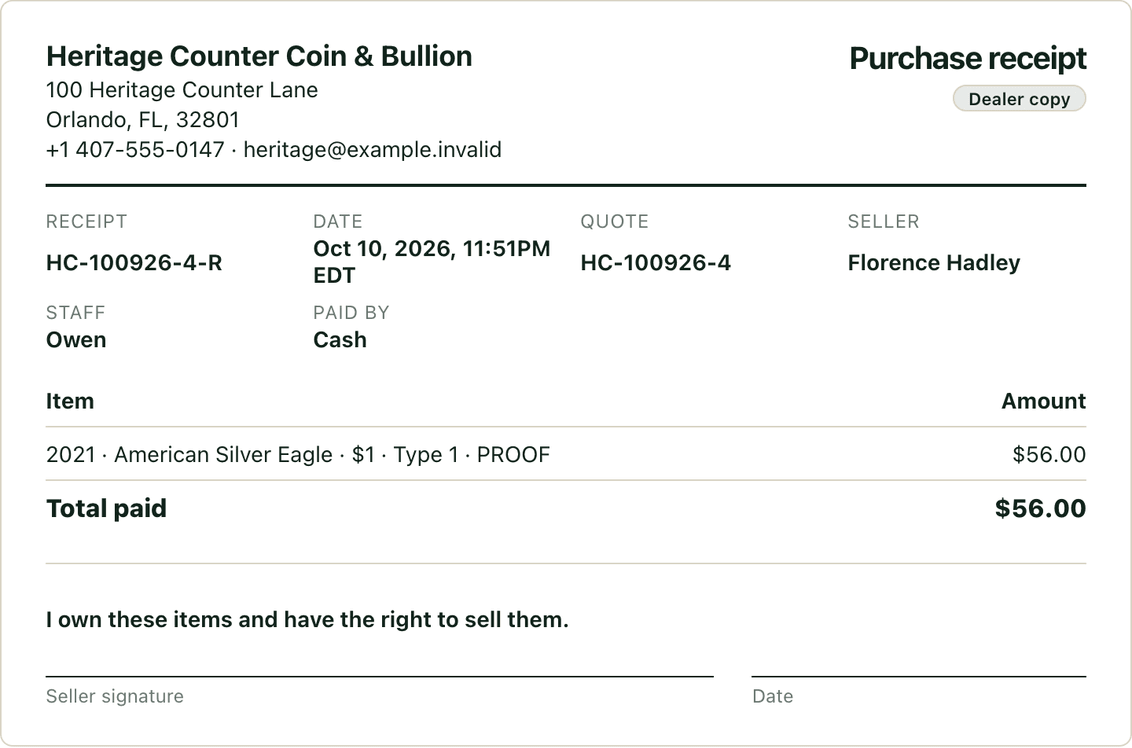
Paid by cash, recorded, and a receipt the seller can sign.
Demo details
A shared counter, with active staff attribution
Use Lock screen and Switch profile with each staff member’s four-digit quick PIN. Pricing and quoting attribution follows the active profile, so check who is active before acting.
Quick profile switching is a convenience and attribution control, not a separate security boundary or replacement for authenticated account, role and device protection. Staff capacity follows the account’s configured limit.
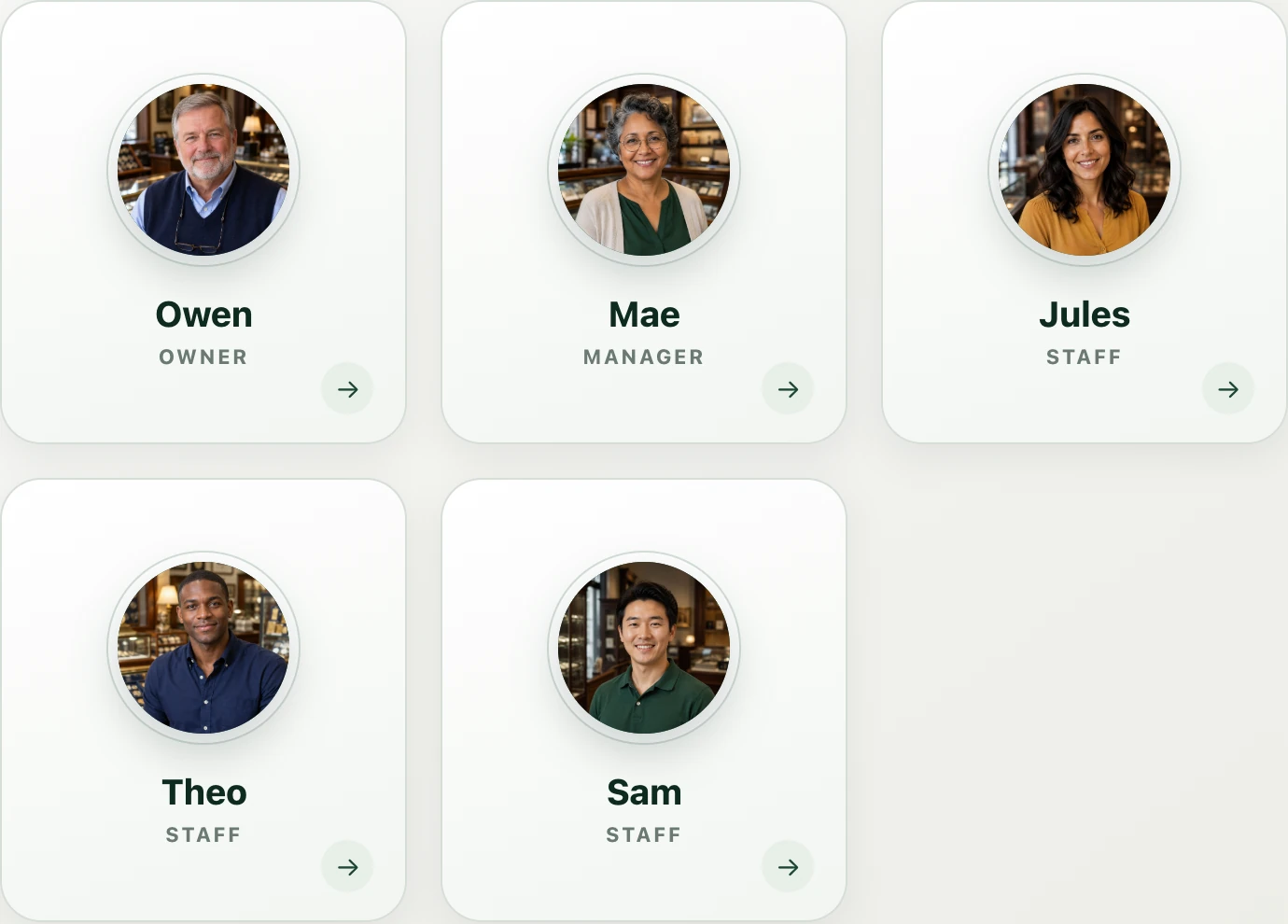
Switch staff profiles at a shared counter.
Demo details
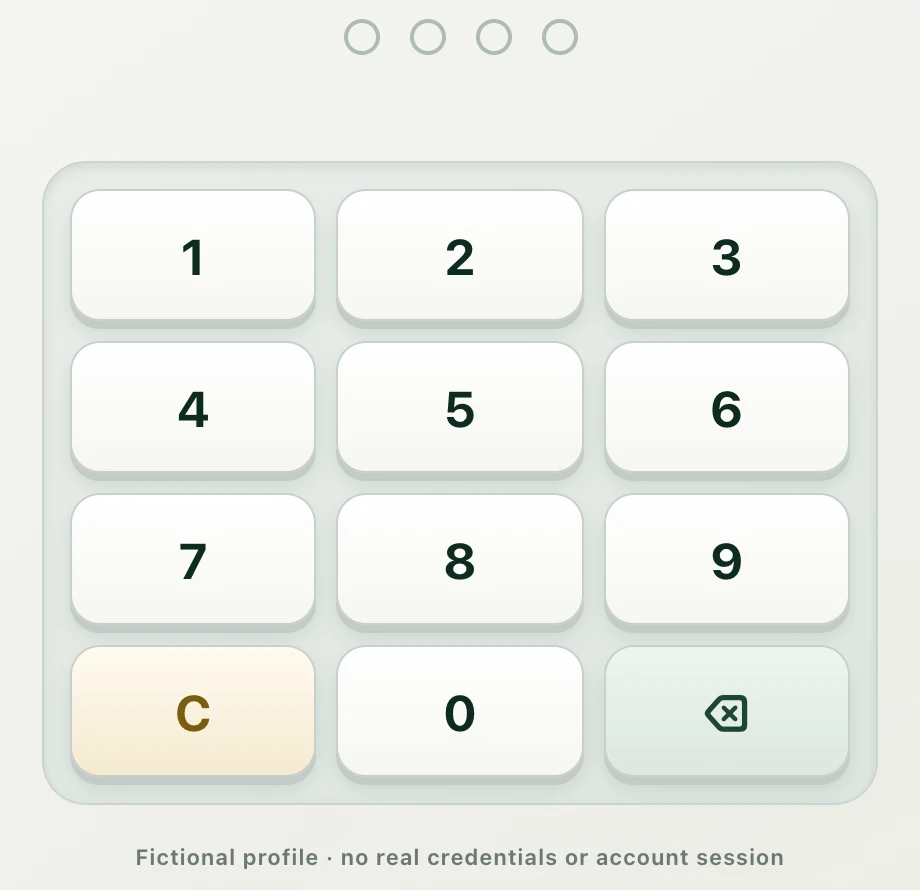
Lock the active profile with a quick PIN.
Demo details
Every quote, every line, every staffer
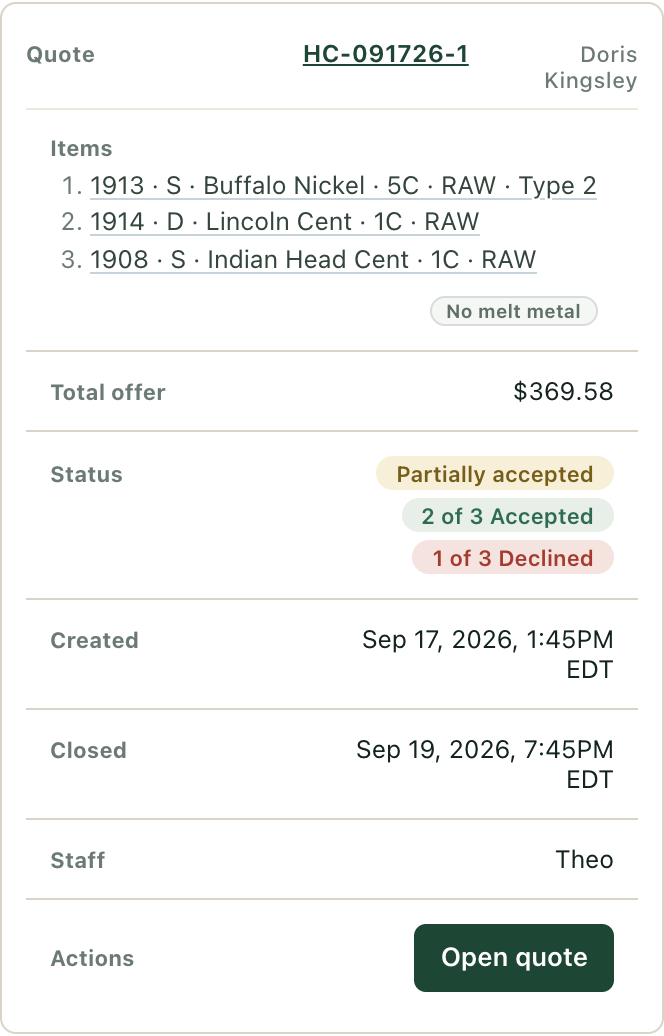
Find any quote by customer, date, status, item or staff member. A quote that was only partly accepted keeps a line-by-line tally, so you can see what was agreed and what is still open. Every line is credited to whoever was signed in at the counter when they priced it.
Review customer and quote records created in the dealer workflow. Staff names are optional on the customer’s copy.
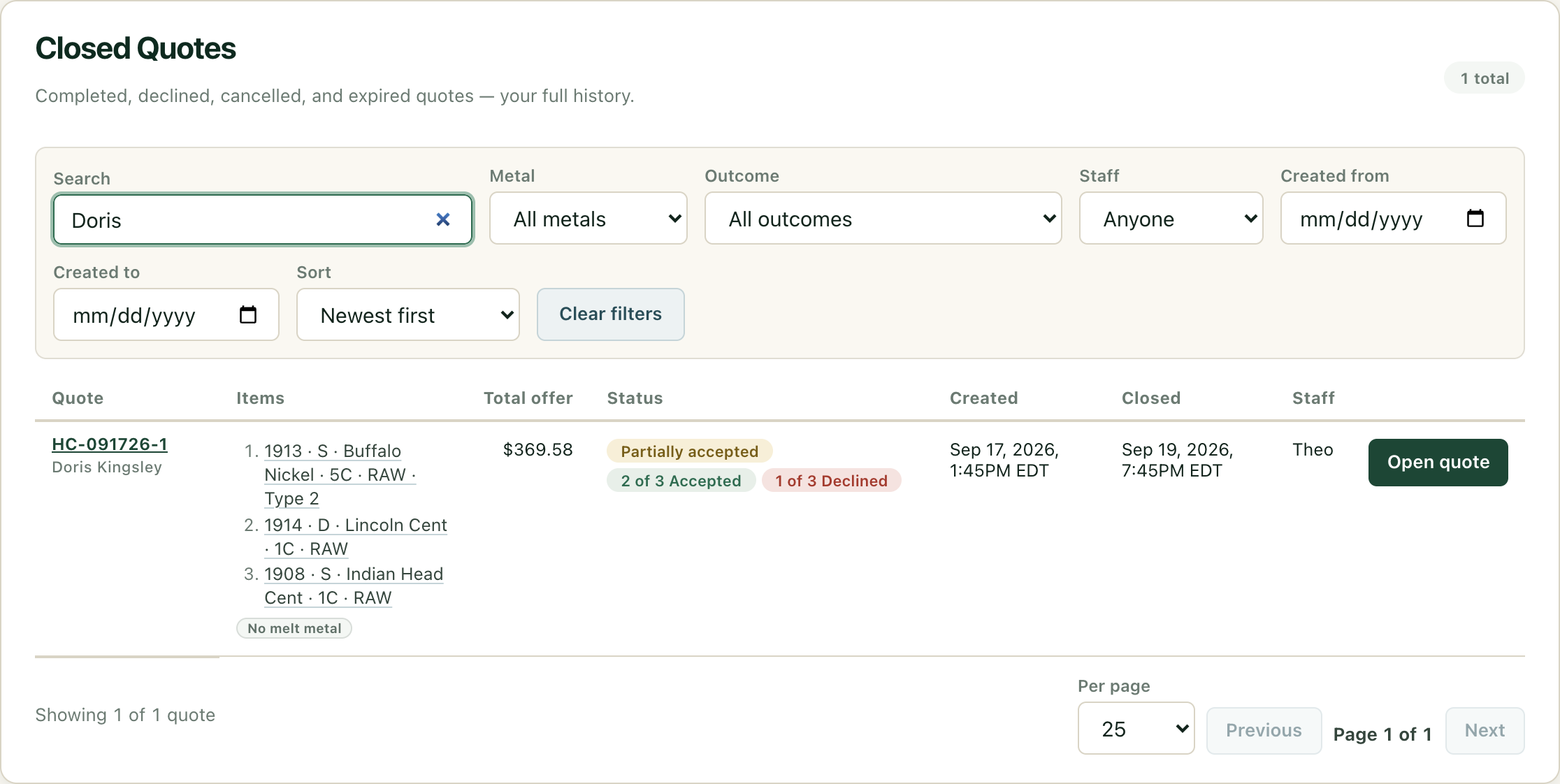
Review quote history and partial acceptance.
Demo details
Three ways it reaches them. None of them is a phone call.
Delivery details and two separate permissions can be recorded on the quote: delivery for this quote and future marketing. Neither a contact detail nor quote publication itself grants marketing permission.
Send a branded quote by email, or print it. Either way, the customer’s permission comes first.
Pick the channel your shop has set up and the customer has agreed to, then watch its delivery status on the quote.
Email goes out through your shop’s email setup, and the quote shows its delivery status.
Customer replies come back to your shop.
One button writes the message on the fly with the live quote link already in it and hands it to the phone in your pocket. You read it, you hit send.
Native SMS opens your messaging app with a composed quote link for you to review and send. Your device and carrier handle the text.
A customer who declines contact details can leave with a printed Quote ID and PIN. Both reopen the quote at the retrieval portal; validity and agreement deadlines still apply.
They enter both at the retrieval portal and land in the same live quote everyone else sees.
A printed quote is a key, not a snapshot
Every printed sheet carries a Quote ID and PIN for the live quote, so the customer can come back, see where it stands and accept or counter if you allow it.
Paper is another way into the same quote, with the same deadlines. Reopening never resets its clocks.
The portal never reveals whether a Quote ID exists and throttles repeated attempts, so a sheet left on a passenger seat isn’t a way to go fishing through your customers.
quote.countermint.io ↗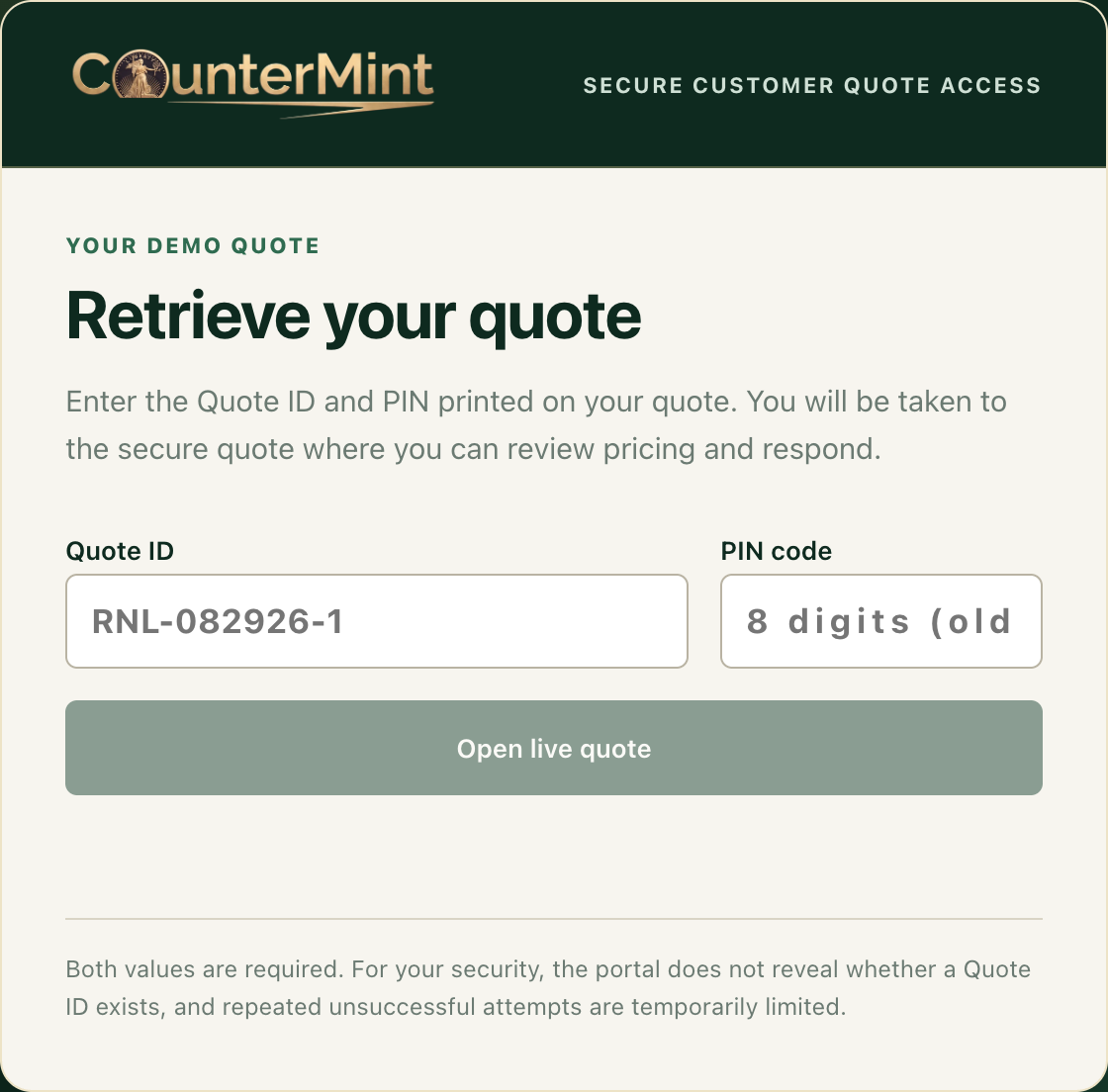
Always know your exact exposure and commitments
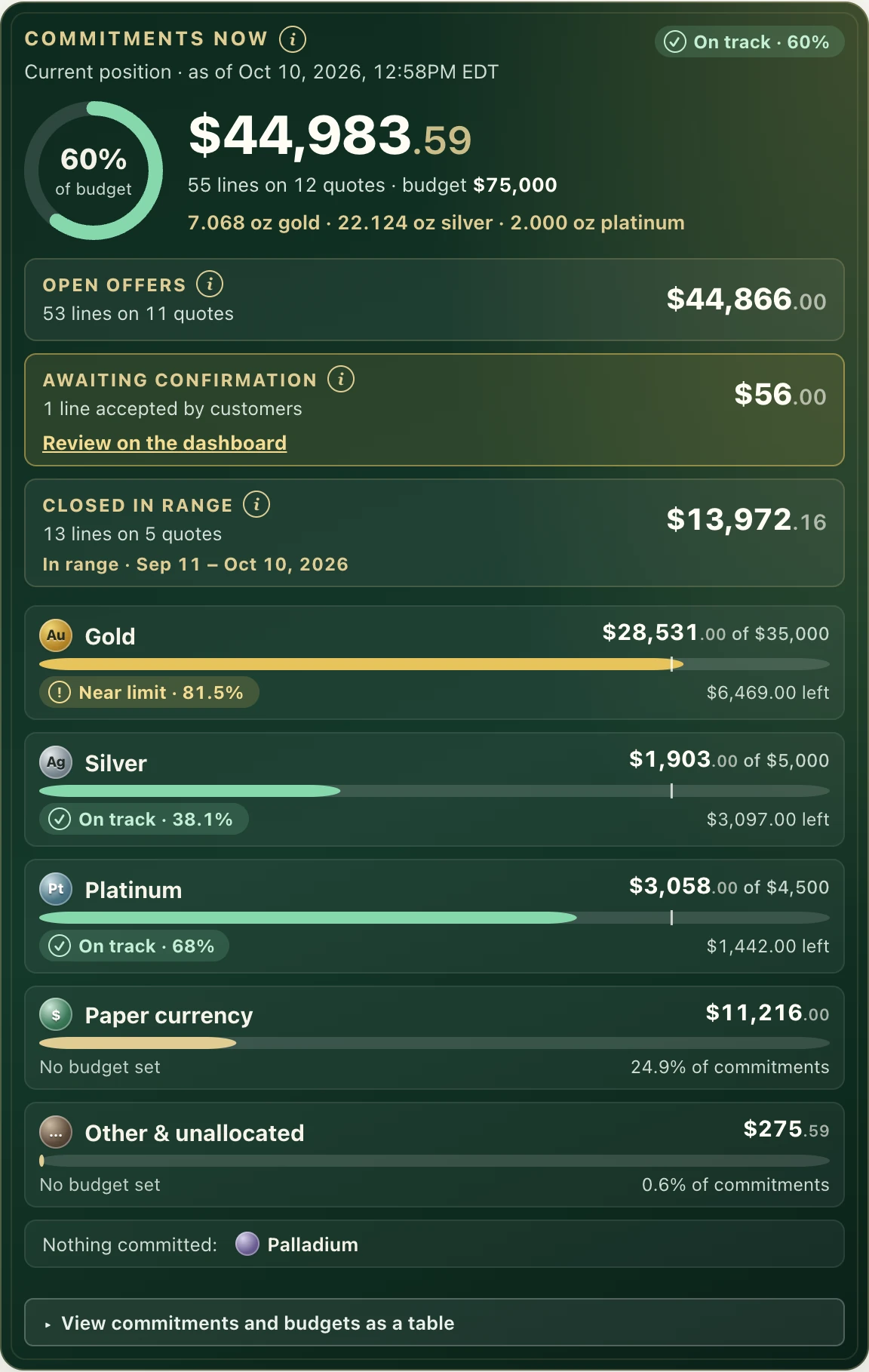
Exposure reads your quotes line by line and counts each line exactly once, in exactly one stage. Open offers, accepted offers awaiting your confirmation, confirmed commitments and settled purchases are totalled per metal and in aggregate, and every total states its basis and as-of time.
The dashboard, the PDF, the scheduled email and the demo all compute from the same definitions, so the figure on your screen is the figure in your report.
- Open offers
- Awaiting your confirmation
- Committed
- Settled
Commitments are the first three together.
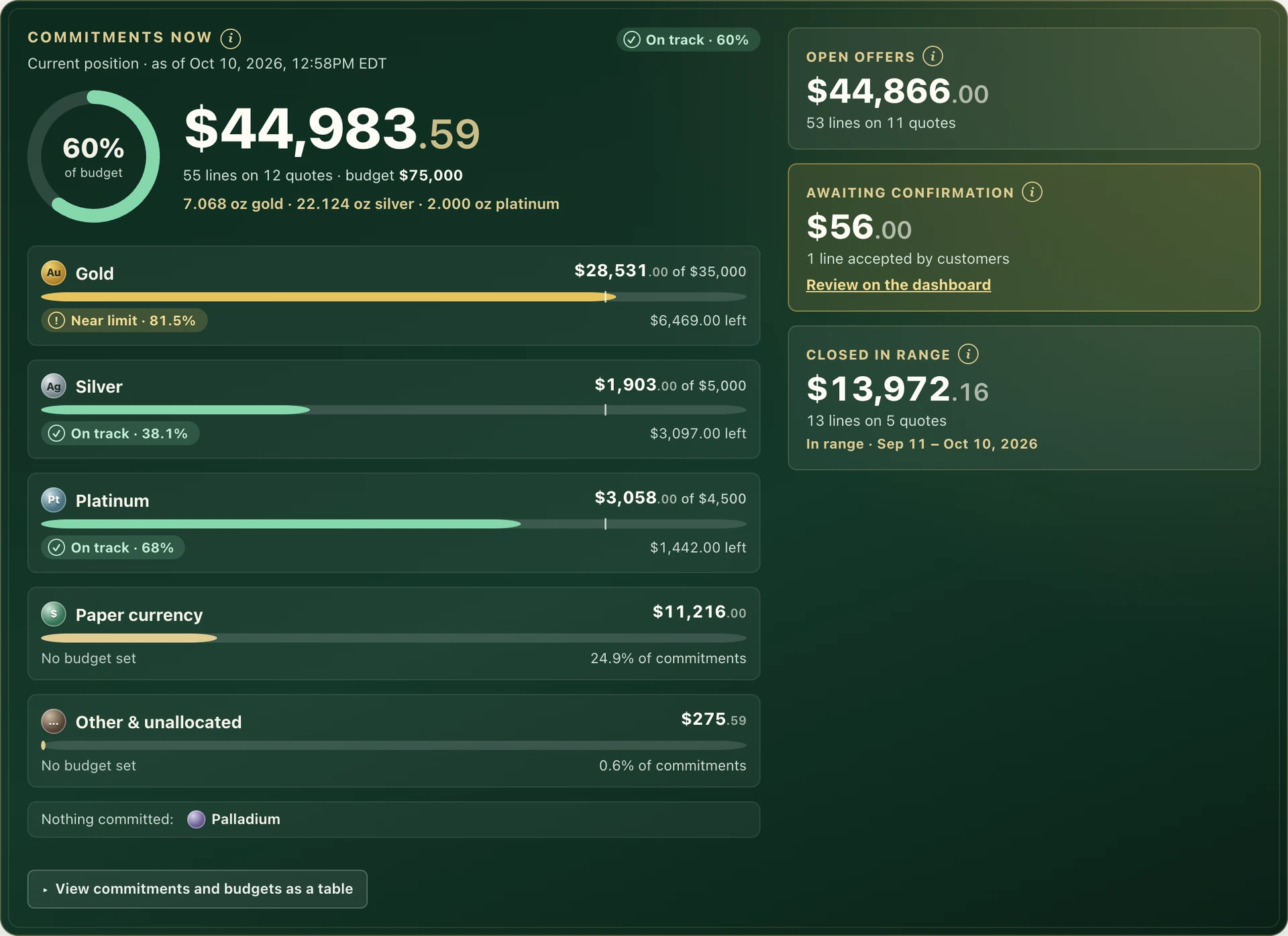
Every open offer and commitment, by metal, against the budgets you set.
Demo details
How each stage is counted
| Stage | What it means | Counted | Amount used |
|---|---|---|---|
| Open offers | Issued and waiting on the customer. | As of now | Your current offer: an outstanding counter-offer, otherwise the live repriced offer, otherwise the issued offer. |
| Awaiting your confirmation | The customer accepted; you have not confirmed yet. | As of now | The frozen accepted amount. |
| Committed | Accepted and confirmed, not yet settled. | As of now | The frozen accepted amount. |
| Settled | Paid out. | Over the date range you choose | The frozen accepted amount. |
Drafts never count, and declined, expired and cancelled quotes are kept apart as activity, so they cannot inflate your commitments. A setting lets you count only accepted and confirmed lines and leave open offers out. For settled purchases and activity, choose 7, 30 or 90 days, year to date, 12 months or a custom span.
Budgets with automatic alerts while you quote
Owners and managers set an exposure budget for each category and for the total, with an optional fine-ounce limit per metal, an optional cap on any single purchase and the level at which warnings begin (80% by default). Budgets measure your whole shop’s buying commitments, so the quote builder, dashboard, PDF and email all read the same budget.
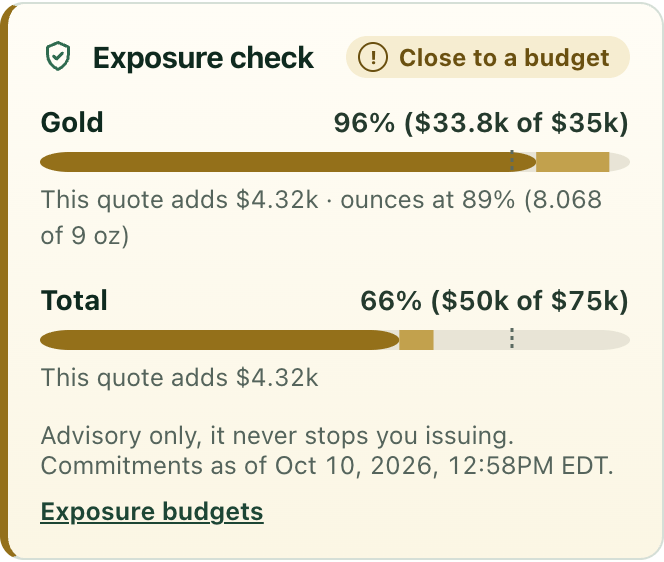
While you build or edit a quote, the Exposure check adds the draft to your running totals and shows each category as within budget, near its limit or over it. It also flags a draft that on its own exceeds your single-purchase cap. It advises and never blocks: issuing a quote that crosses a budget or cap asks you once to confirm, with Issue anyway or Go back. Staff who cannot open Exposure see the states and percentages while they quote, without the dollar totals.
- Within budget
- Near your warning level
- Over budget
Fine ounces and melt coverage
For each metal, Exposure reports the fine troy ounces you have committed to and settled, from each line’s weight, purity and quantity. Melt coverage compares the melt value of your committed ounces at current spot with the dollars you have committed. A sensitivity line shows what a 1% move in the metal would change.
Ounces are reported per metal and never added across metals, and premiums are never expressed as ounces. Spot is the same market data shown everywhere in CounterMint. When a price is unavailable or stale, the melt figures are left blank rather than estimated. Lines with no known weight are counted in the data-quality notes and lower the coverage figure instead of being guessed.
The full lot
Gold, silver, platinum, palladium, base metal and clad, and paper currency each have their own totals. Anything else, such as non-metal collectibles or a line with no metal set, is shown as Other and unallocated. Category totals always reconcile exactly with the aggregate.
- Gold
- Silver
- Platinum
- Palladium
- Base metal and clad
- Paper currency
- Other and unallocated
Branded PDF and scheduled email
Download a PDF headed with your shop’s name, the as-of time, timezone and filters. It carries KPI tiles, commitments by category with budgets, the lifecycle funnel, open-offer aging, offers about to expire, your largest open offers and a definitions footnote. Customer names are left off unless you choose to include them.
Schedule the same report daily, weekly or monthly at a local send time you set. You choose the recipients from the owners and managers on your account, and each report goes out once per period with the PDF attached. Send a test to yourself first.
By staff, and your largest open offers
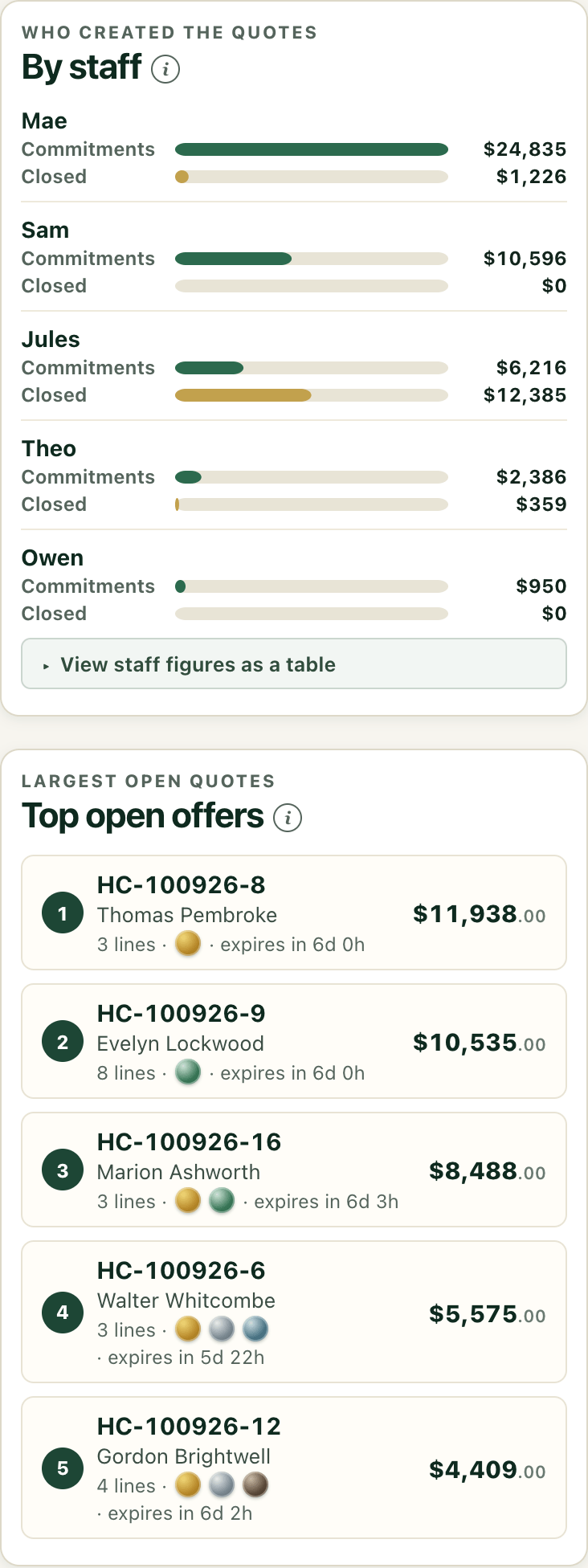
Commitments and settled dollars are broken down by the staff member who created each quote, so you can see who is buying what. Your largest open offers are listed in order, each one a click from its quote, so the biggest decisions still waiting on a customer are never out of sight.
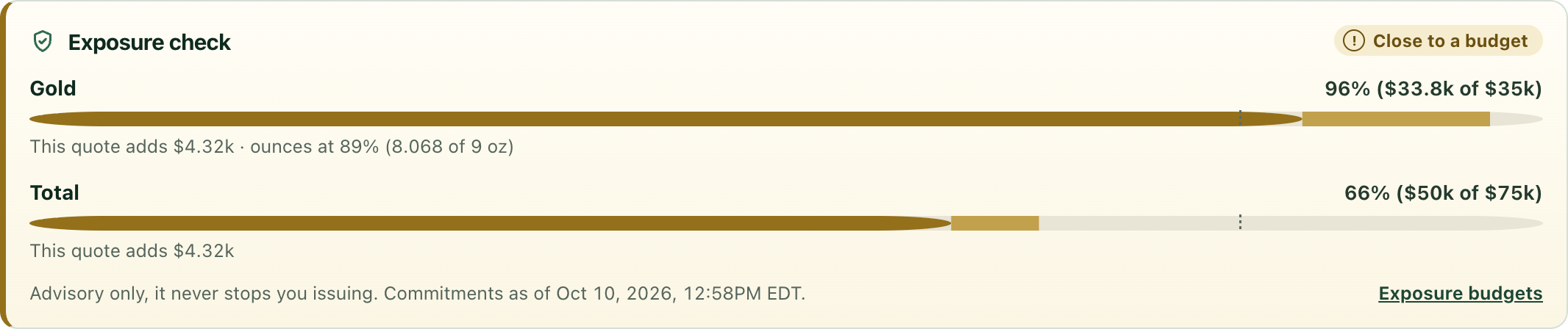
The Exposure check speaks up while you quote. It advises; you decide.
Demo details
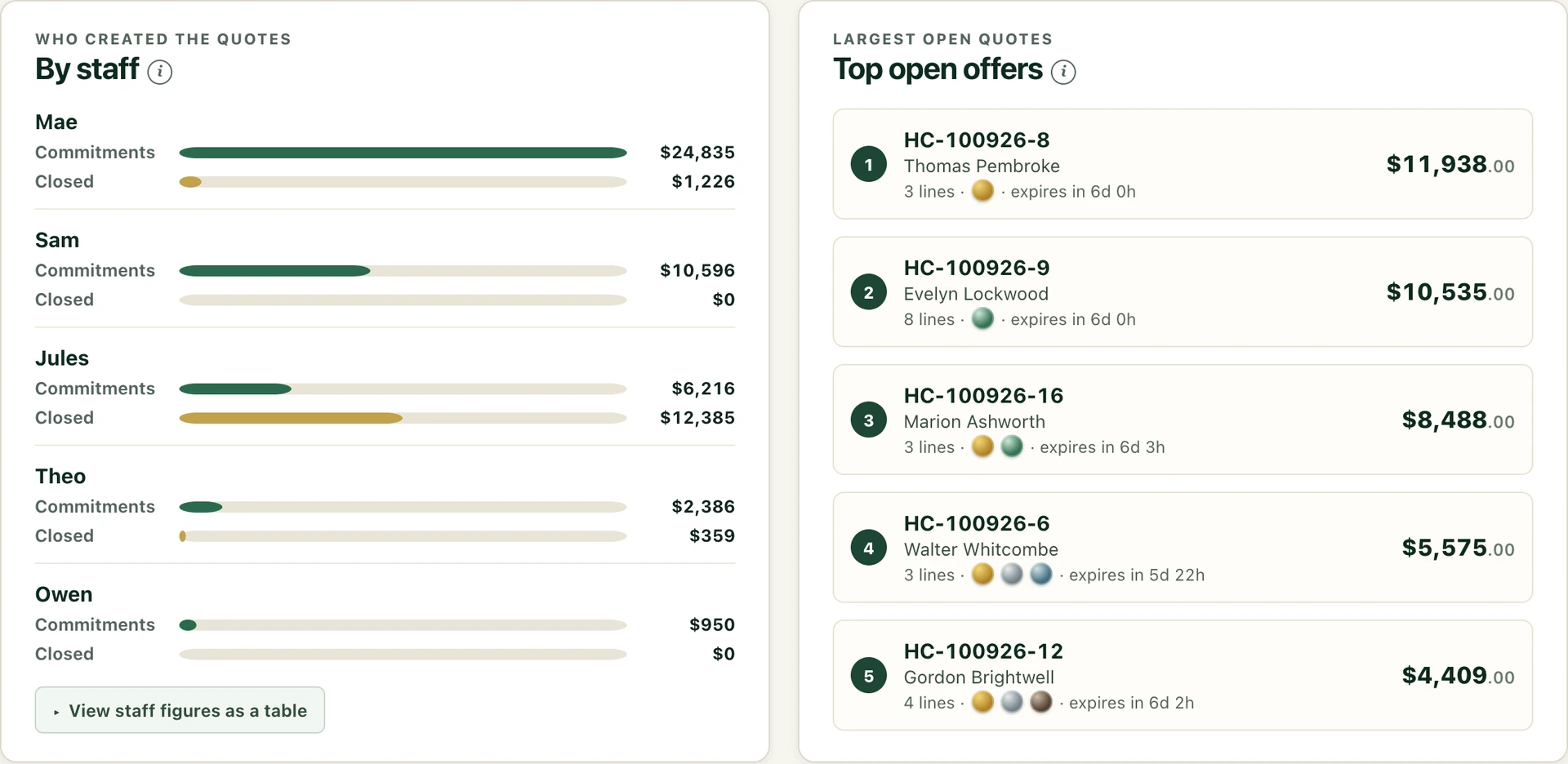
Who is buying what, and the largest open offers, each a click from its quote.
Demo details
Good to know
- Owners and managers open Exposure and edit budgets and schedules. Other staff see only the Exposure check while they quote.
- It reports on the quotes made in CounterMint. It does not read your inventory, books or point-of-sale.
- Budgets are advisory. Whether to issue a quote stays with you.
- Included on every plan, including trials, and in the public demo.
- In the demo, Exposure is computed from the demo workspace’s own quotes, including the ones you create, so its totals match the demo’s quote list and quote details. PDFs download. A schedule is saved to your demo session, and “Send a test now” previews the email and PDF without sending anything.
30 days free, no card to start. $50 a month or $500 a year, locked for as long as your subscription remains active, even if the Standard price increases.